Kinematics and Movement
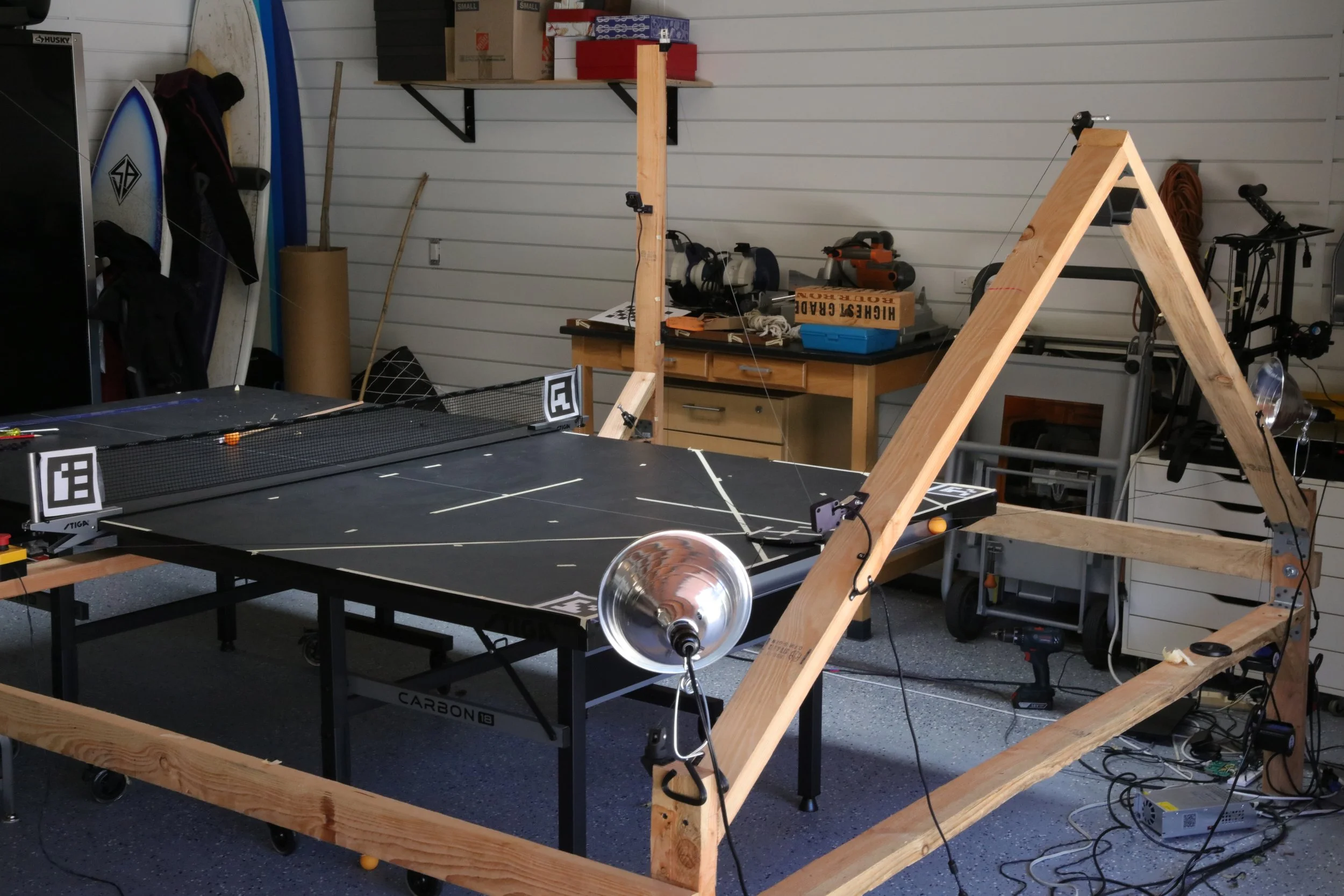
The kinematics for the robot constitute the majority of the work so far put into the project. The kinematics is responsible for the simple goal of moving the paddle, at high speeds and precision. This simple objective, when made manifest, necessitates a host of subsystems and work.
This page details how I got the robot moving and its implementation.
To get the paddle moving, a kinematics-chain is the first step. The kinematics-chain details how the robot moves, how the actuation is achieved. For this project, a cable-actuated design was chosen, as the volume in which the robot needs to move is well defined and fixed. In addition, cable actuated movement allows for very high speeds, as the large mass of the motors is off of the actuated paddle. Motors sat near the base of a constructed frame, and 3d printed custom pulleys actuated and redirected the cable to the correct spots.
A custom inverse kinematics solver was implemented, and a custom high speed motor-controller was run on an external microcontroller. This received commands from a custom motion pather loop, which plans movement to take full advantage of the robot and its speed.
Showcase
Hardware
This robot was created with the goal of making an impressive robot, but without very high-end and expensive parts. The hardware for this project was chosen accordingly, and the limitations were overcome via software to a very satisfactory degree.
This part of the project was an exercise in assembling and fully implementing a motion-control system for a newly constructed robot, with no outside help. I learnt tons! This took perhaps 4 months of continuous development.
Motors and Drivers
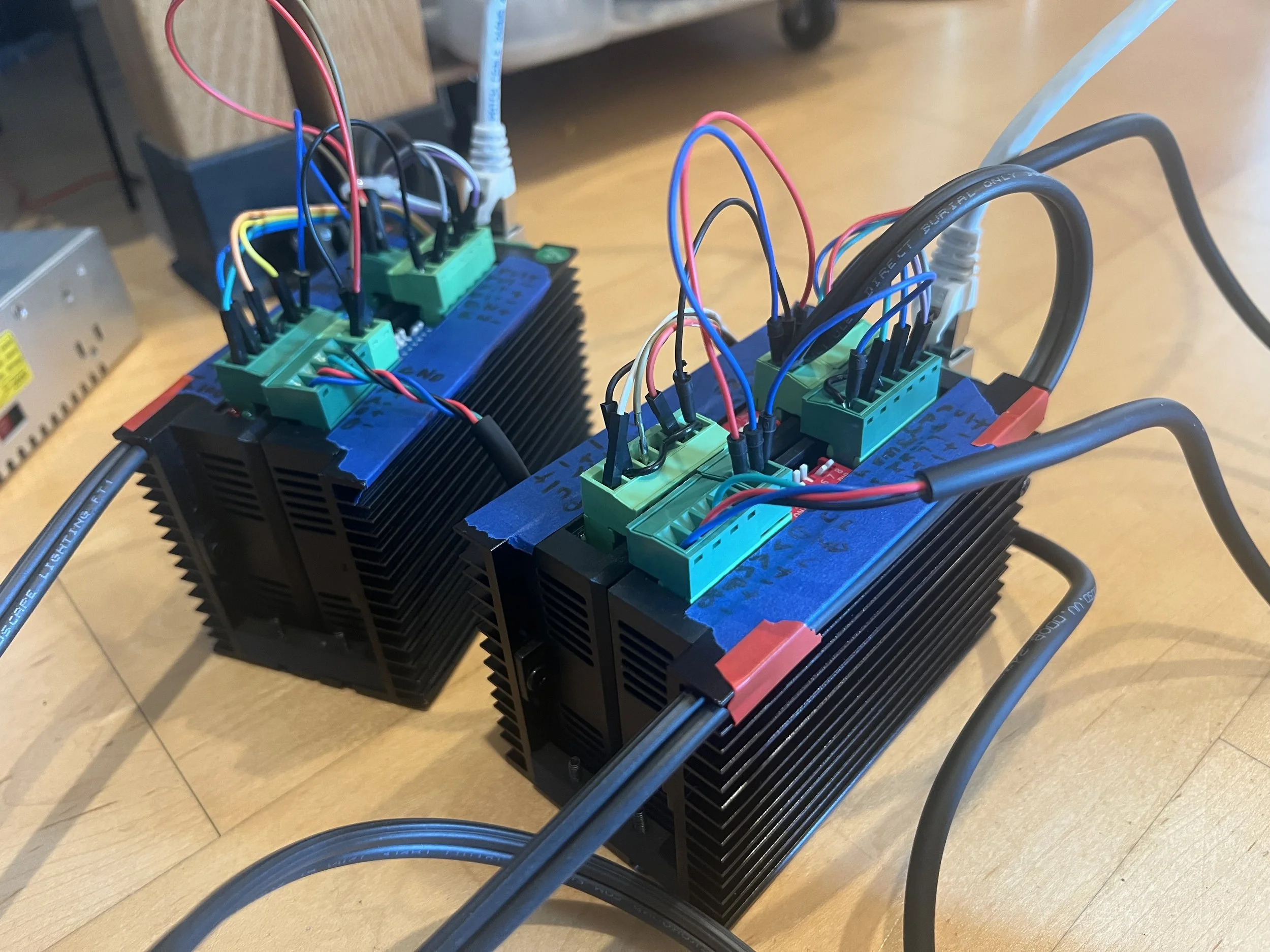
The motors chosen were NEMA 23 stepper motors. The torque was more than sufficient, and the simpler control lowered costs. The open-loop control system used is viable to loss of position in the motors, but this is mitigated by accurate controller software, and the robot can be tuned such that this is not a problem without sacrificing performance
The main code for the robot was run on an external computer. Initially this was Thinkpad t440 for quite a while. After accidentally dropping and breaking it I upgraded to a t470. This worked for quite a while, but with only 4 cores it turned out not to be powerful enough. Each of the camera and detection threads were trying to pull a full core.
Recently I upgraded to a T15g which was a major upgrade. It is a massive computer with 16 processors! I will not be running out of compute any time soon.
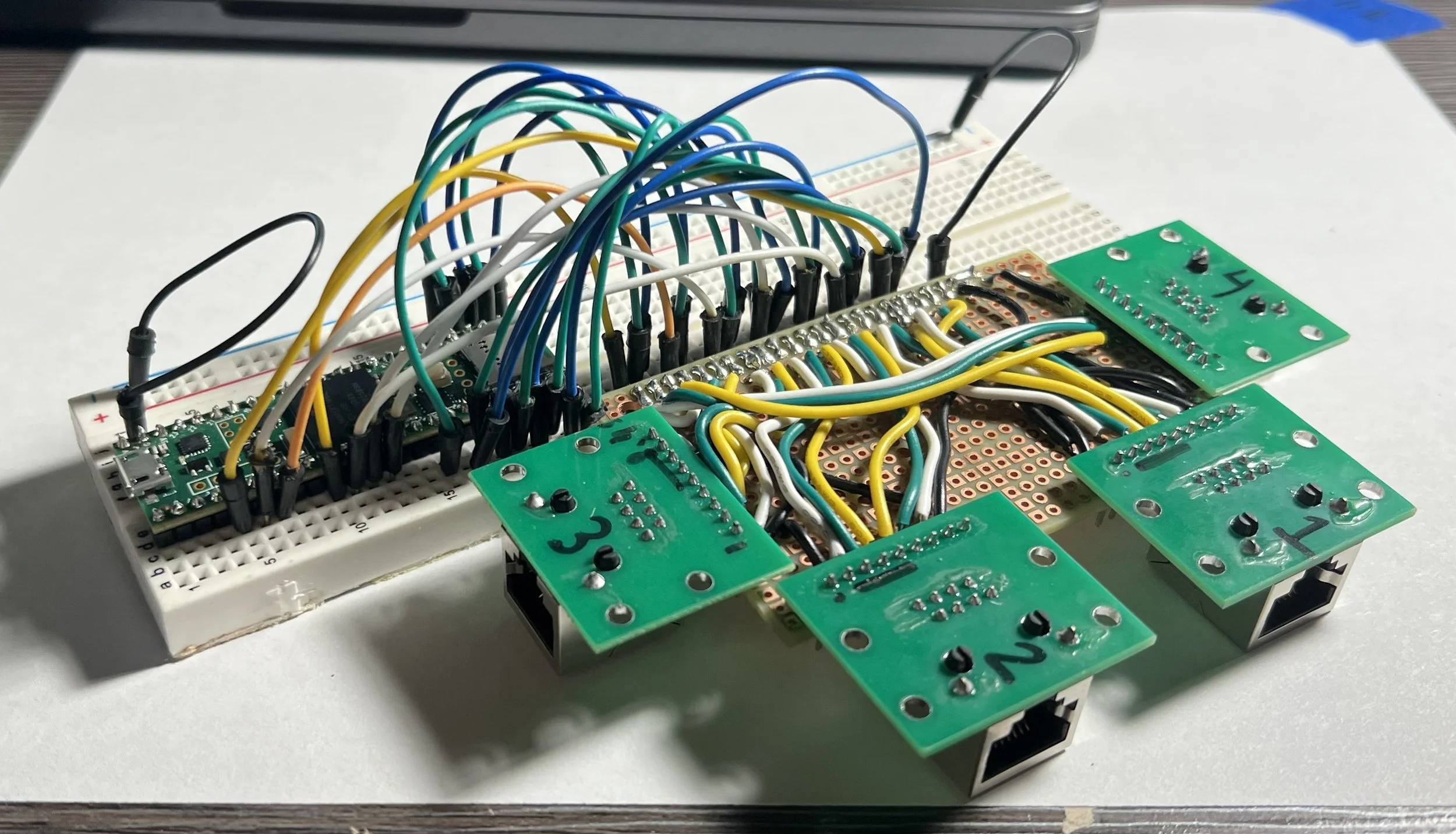
The transmitting of data to the driver pairs was more complicated than expected. A simple method to transmit the data means simpler wiring and less capacity for failure, in addition for it to be easier on my end.
Data communication via ethernet was chosen as it seemed the most appropriate for longer-distance transmittance of high-frequency data. A single Ethernet cable was just able to fit all the wires needed for each driver-pair. Due to their high-frequency, the step control wires for each driver were paired with ground to prevent data loss, and also provided the reference ground to the drivers. The remaining direction and enable wires took up the rest of the space in each cable.
Despite the questionable custom communications system, signal integrity turned out great, and more than sufficient for my needs. This was great, as I expected the cross-talk to be very bad with the distances, custom wiring, low voltages, and proximity to high current wires.
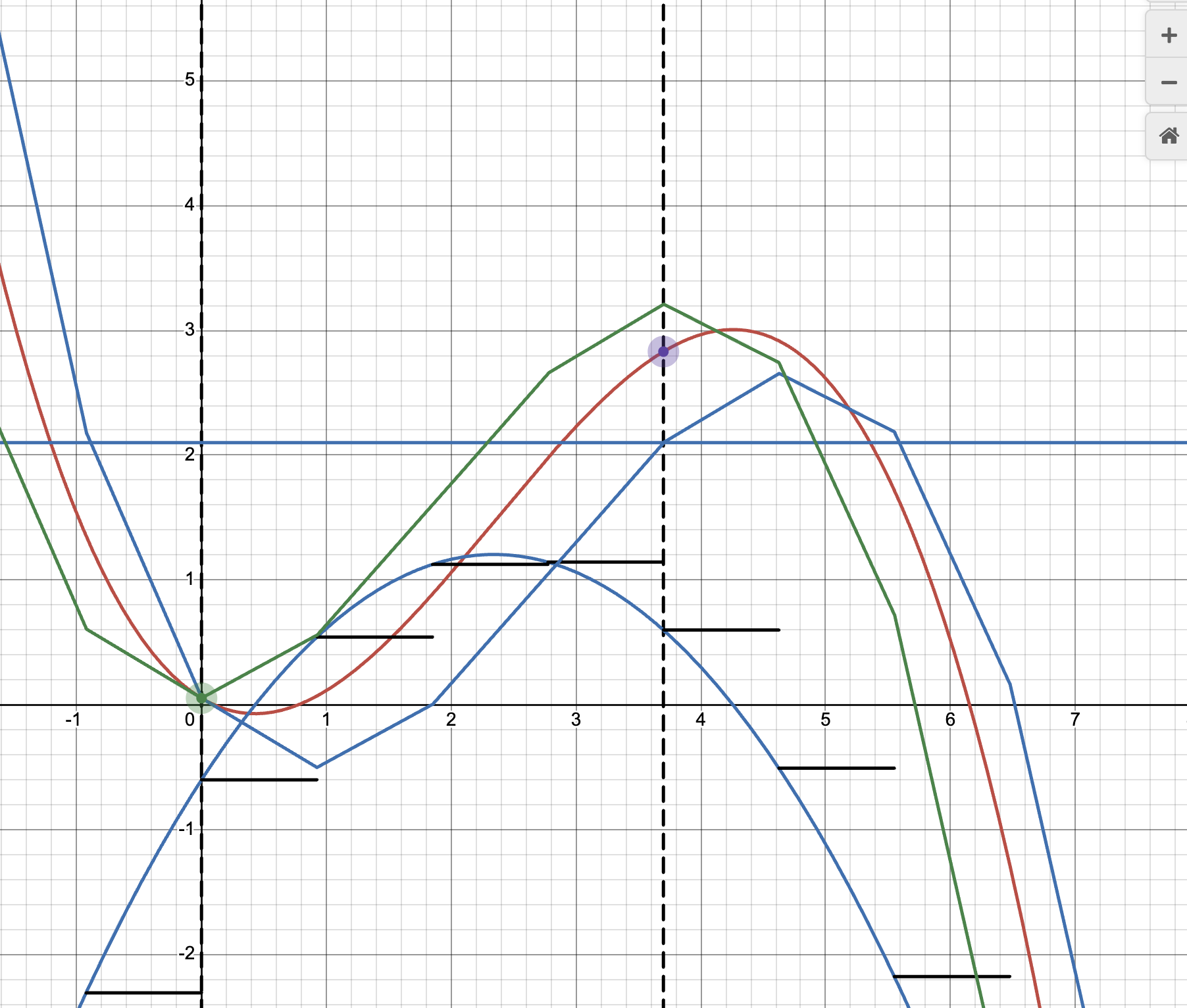
Visual from trying to design an early stage lossless velocity-integrative approach in the motor controller.
this approach almost worked, but was unnecessarily convoluted.
Proof Of Concept
Before the task of creating a full-scale cable actuated robot frame was undertaken, a small 3-axis proof of concept robot was constructed out of some spare aluminum V-bar and 3d printed components.
It was a simple design, featuring 3 pulleys that actuated a small plastic component. This was much simpler, and allowed for design changes and refactoring before being instantiated 7 times in the final robot, one for each pulley.
It also got me familiar with the motors and provided a test-area for the basic actuation.
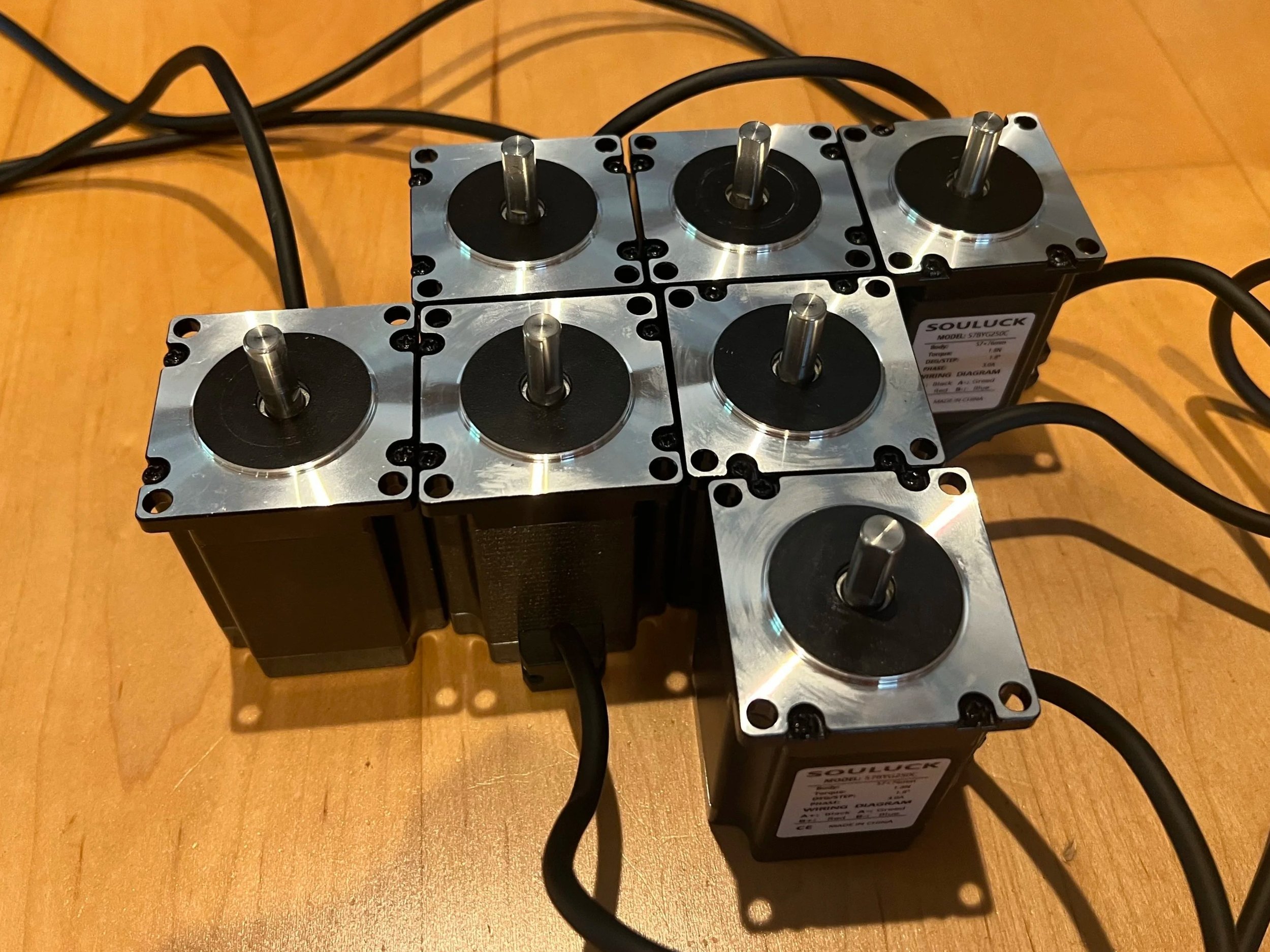
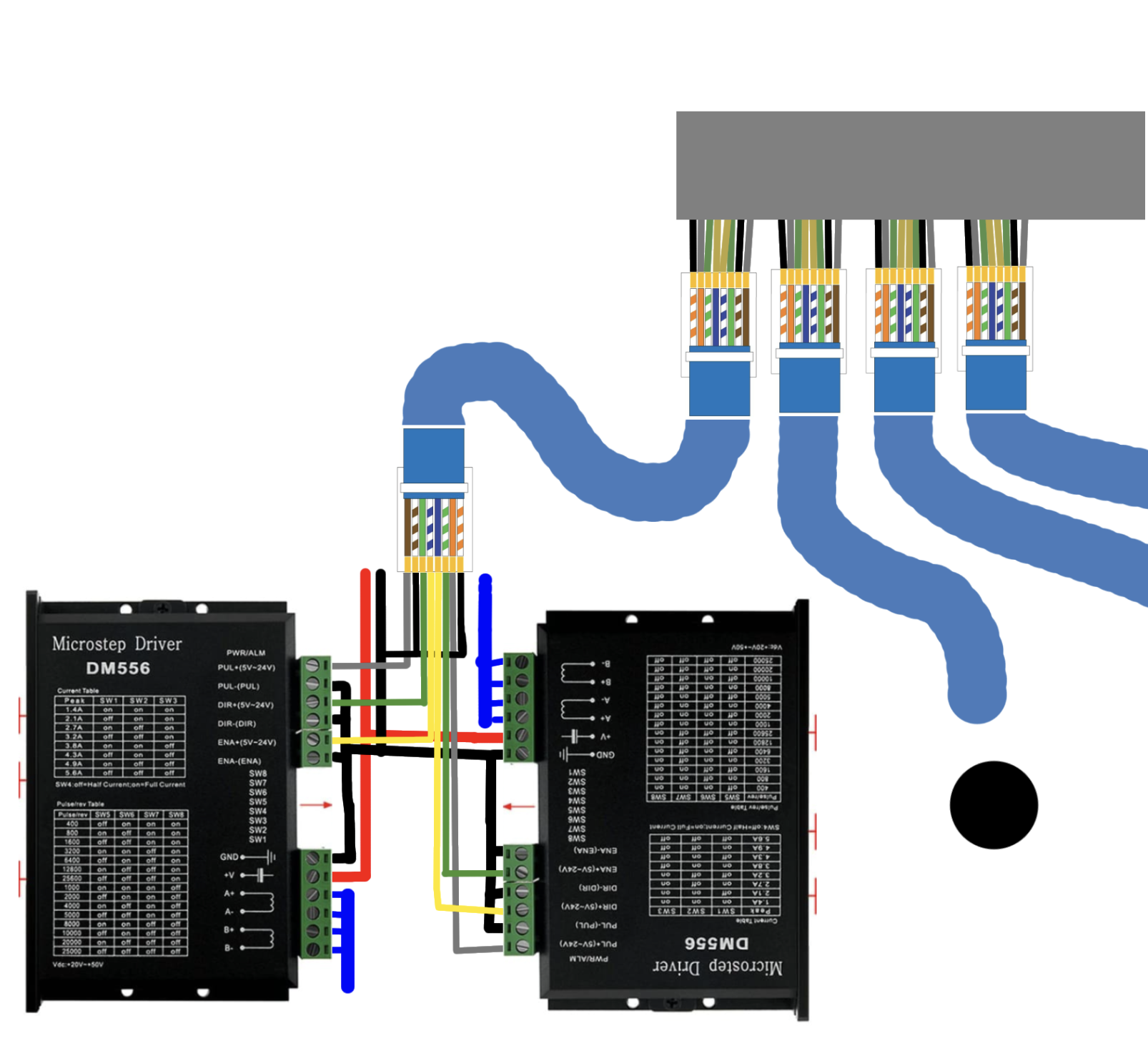
The drivers chosen were DM556 stepper motor drivers due to their capability and cost. Due to the design of the robot, pulleys and their corresponding motors were set up in pairs at the base of the robot. Drivers were assembled into compact pairs as well, simplifying wiring and control.
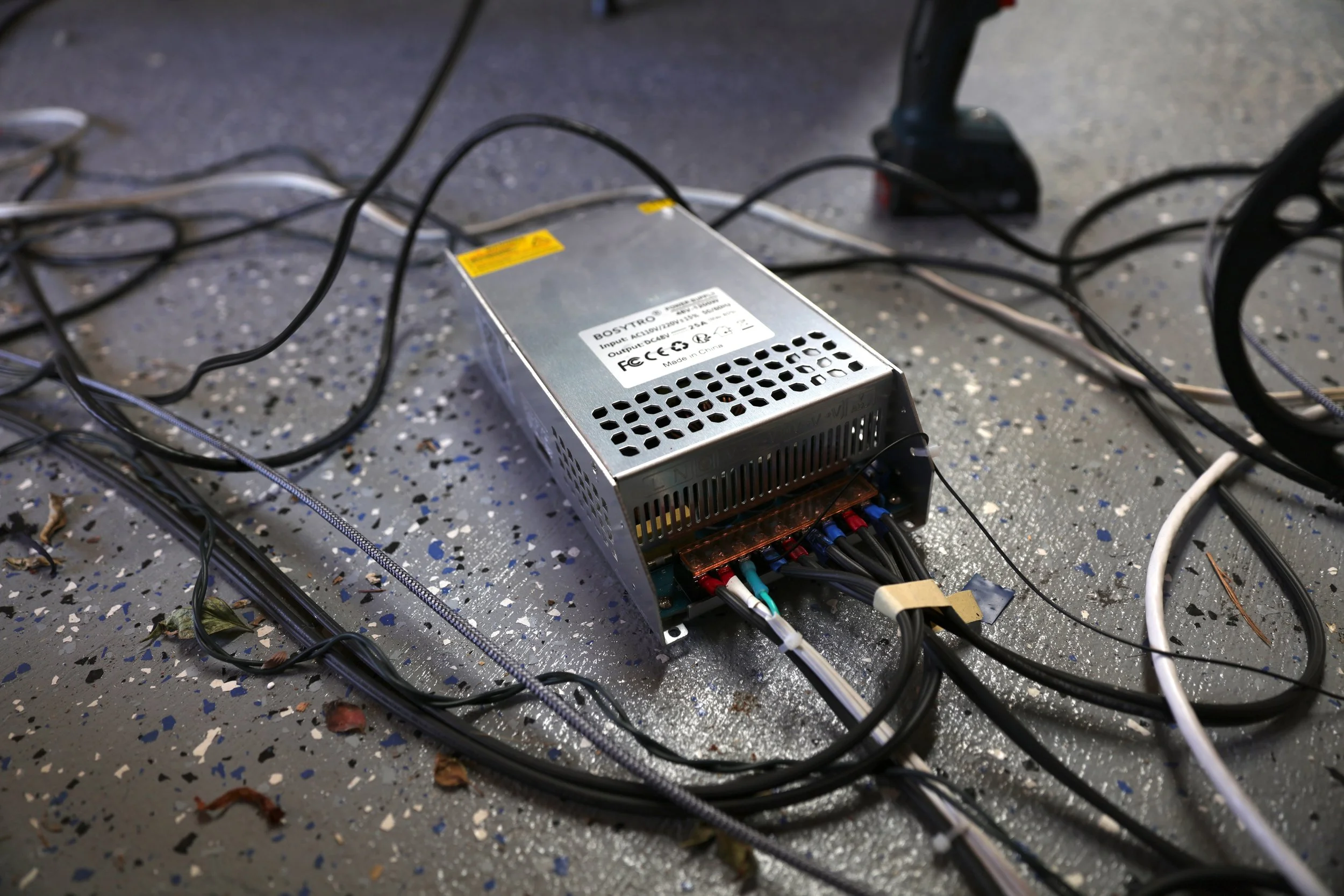
A 1200W 48V power supply was used.
Controllers and communications
If one string is made too taught, it pulls on all the other pulleys. During even the smallest movement, this extra force may be enough to cause other motors to skip and lose their carefully maintained position.
If a string is too loose, it is prone to itself despooling from its pulley, or cause another to, resulting in a tangle. These are very time-consuming to fix
Motion in the robot consists of cable-actuated movement of the paddle. By exactly changing the lengths of the pulleys in perfect synchrony, the paddle will be moved.
This requires extremely accurate movement and timing of all 7 pulleys. Even a single millimeter of transient error in one pulley is enough to destabilize movement. This is exacerbated at high speeds, as coordination is even more essential. Even more, this level of precision and synchronization has to be maintained over the course of the run, throughout extreme speeds and accelerations. No cumulative errors, either numerical or physical, may compound.
The difficulty of this problem is just to move the all the pulleys exactly and in synch. If all the calculations are correct and the robot is as expected, the strings will be perfectly taught during movement. By the end, incredibly fast movements could be preformed without a single loss of step!
During development, countless hours were spent re-homing the robot after it tried to violently rip itself apart, or cables tangled.
To do this, an external motor controller is needed. It sends signals to each of the 4 motor-driver pairs telling each motor how many steps to take. The motors used, stepper motors, operate in discreet steps and controlling them consists of telling them when to move in these steps. By reading the data sent to it by the main computer, it streams these step-signals to each of the driver-pairs.
The microcontroller used was a teensy 4.1, and a custom made ethernet hub was interfaced with it. Data was received through the on-board micro-usb port.
The code for this went through many iterations, but a fixed-position design was settled on. As opposed to a velocity-integrative approach, or a hybrid, the final design receives streamed position packets from the computer detailing the lengths of the strings required at that instant. The microcontroller figures out the amount of steps to move each motor such that that position will be achieved in the next timestep. A precise timing buffer is maintained in the microcontroller to make sure everything is synchronized, and operations are run in separate threads to ensure there are no delays. In spite of the work that it took to get it working, that such a simple design can achieve the needed precision is still incredible to me.
Assembly
This part of the project involved the assembly of the main robot, the frame and its wiring.
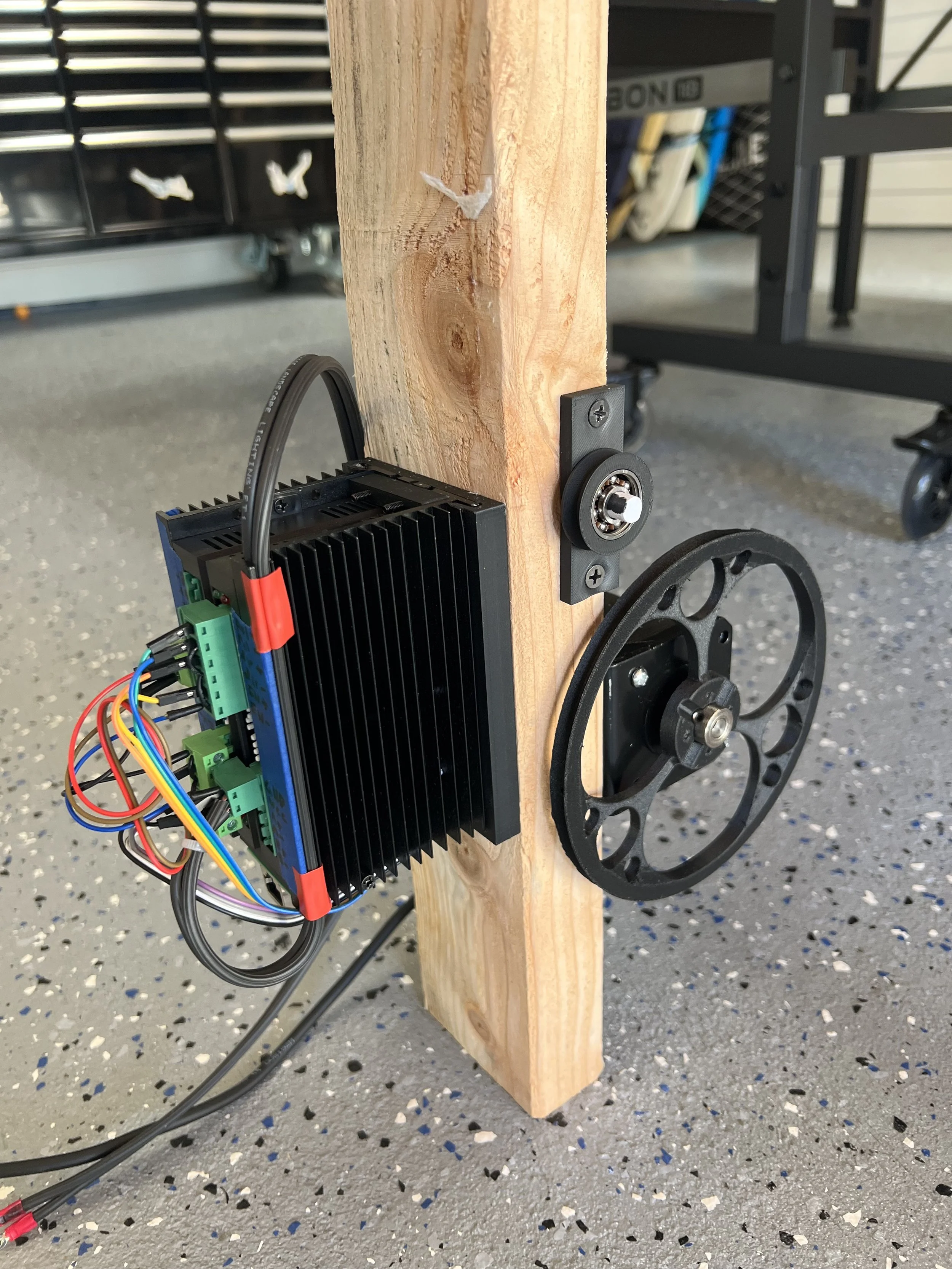
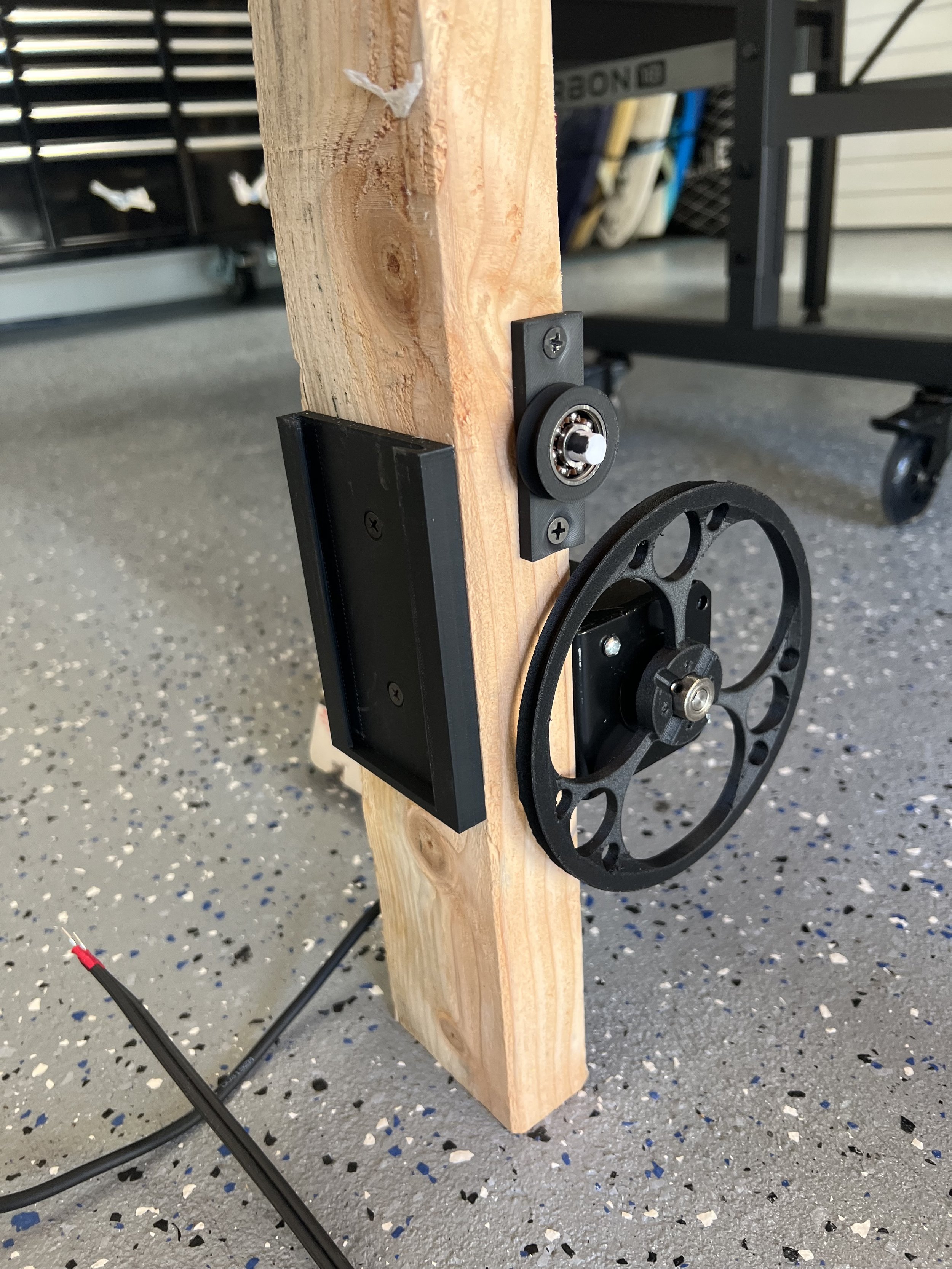
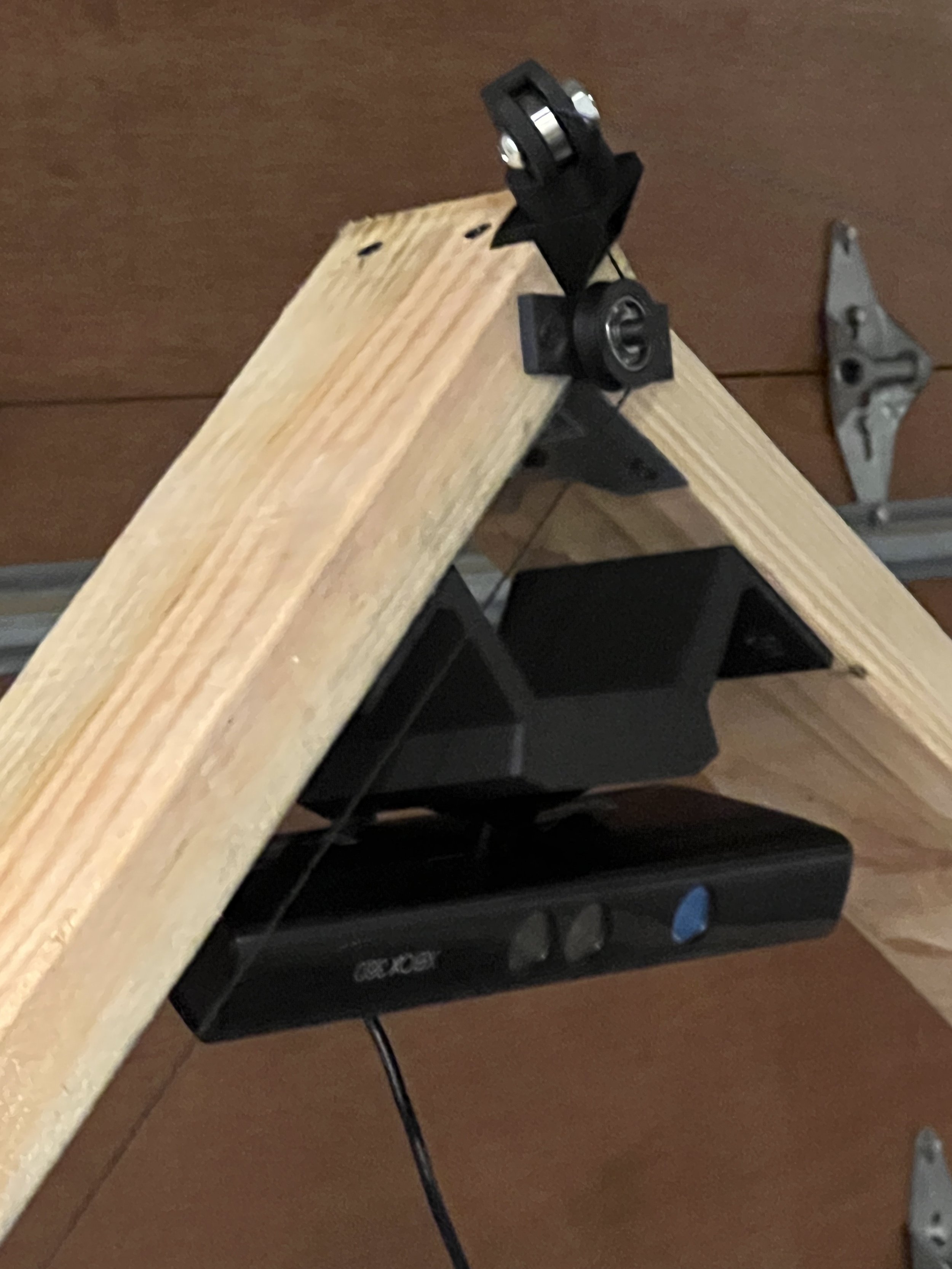
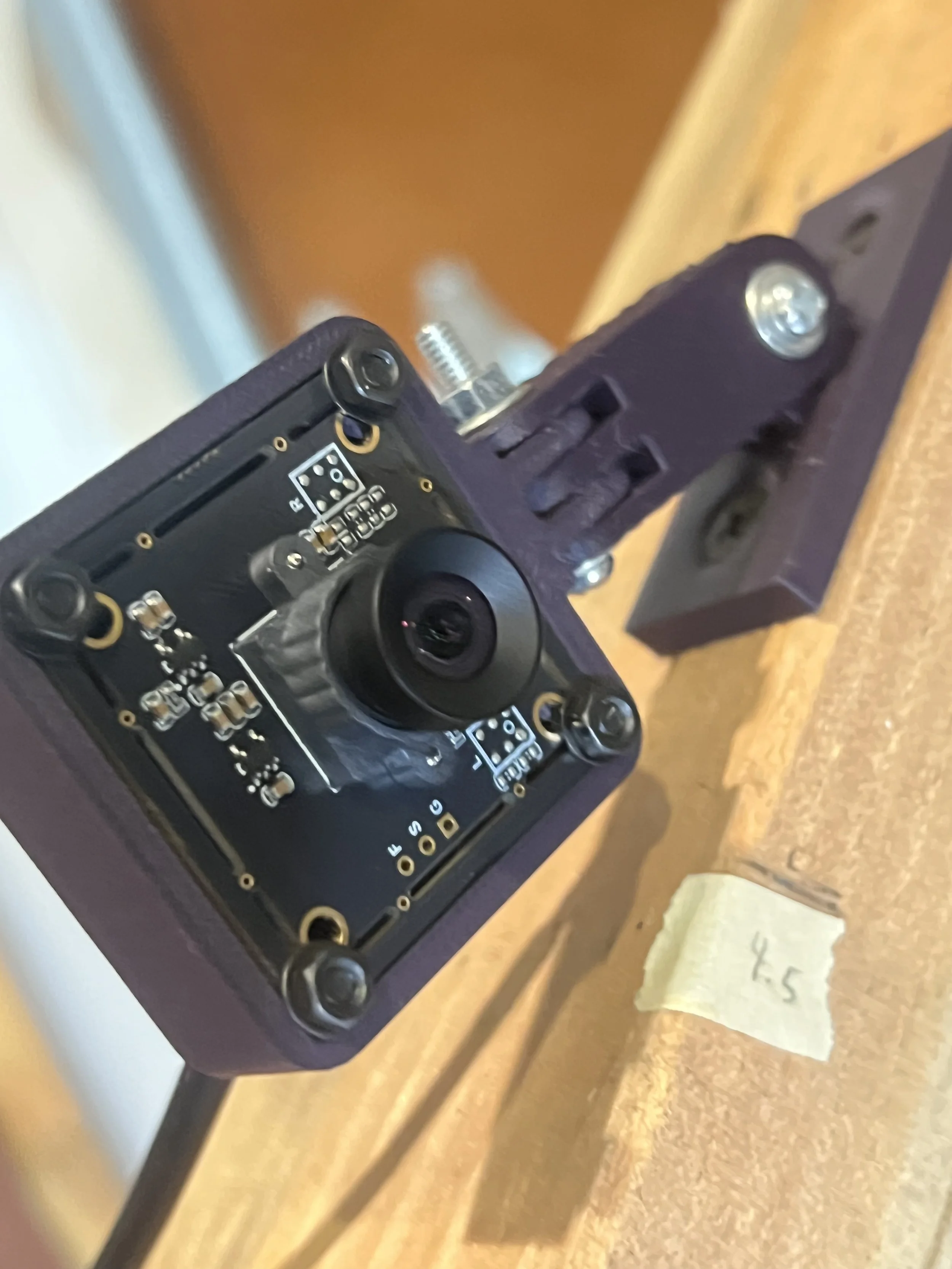
The various other bits were installed as well
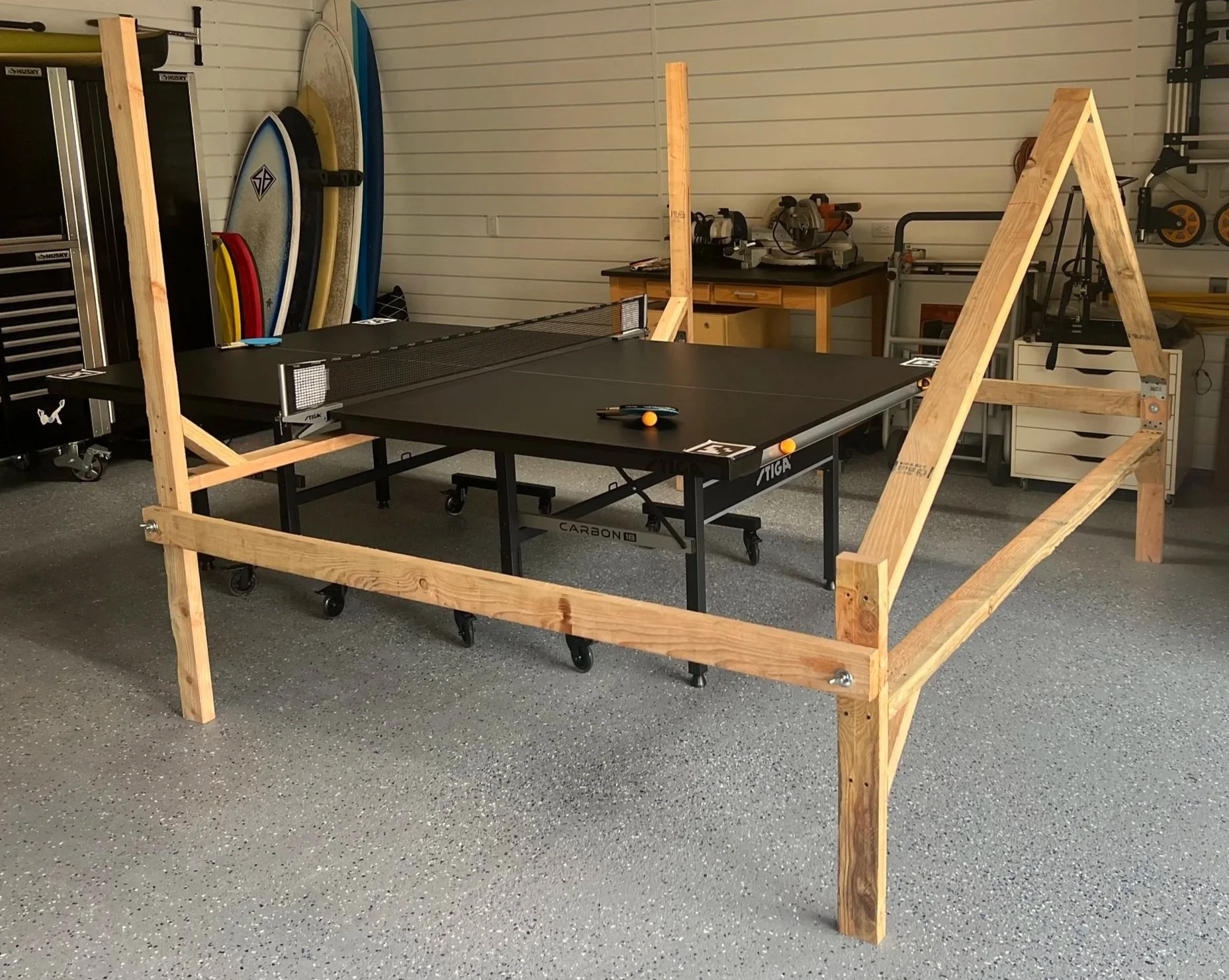
During a renovation of out garage, I built the frame for the robot. It was built to support the cameras and the pulley positions for the cable actuation. The motors and pulleys themselves live at the bottom and the cables are routed to the important top points.
For 3d 6 axis cable actuated motion, only 6 cables are needed, but this would require an arrangement of pulleys that would interfere with the table. A lot of thought went into an optimal pulley arrangement, and 4 pulleys at the front and 3 at the back were chosen.
The frame design and much of the beginning philosophy behind the construction was such that it might be able to be deconstructed and then reconstructed in a different location.
The custom motor-driver-pairs were assembled and wired up, and slotted into 3d printed sleeves.
I designed the pulleys to be as light-weight as possible. The main upsides of the robots kinematics is that the weight actuated by each motor is quite small, limited to the weight of the paddle the weight of the pulley, and the negligible weight of the string. The lower the moment of inertia of the pulley, the faster the motors can move and the paddle accelerate. It turns out, with the pulleys optimized, the effective mass is about equal to that of the paddle. They were designed thin and lightweight.
Inverse Kinematics
The kinematics for any (robotic) system is the study of how the system should mechanically behave if actuated on its own. It describes how the robot moves, and what some combination of actuation results in what movement (also called forward kinematics).
What is needed for this project is an inverse kinematics solver. Some way to compute how all the motors should move such that the paddle, connected by so many independent cables, can move as desired.
In serial kinematics-chains, where actuators are themselves moved around by other actuators, like seen in robotic arms, forward kinematics is pretty straight-forward.
Inverse kinematics, on the other hand, is very hard. For you, with your complex and very smart brain, your flesh and bone arm (still a serial kinematics chain) is quite easily positioned where you want it to be. For a system lacking a central nervous system, this is very difficult.
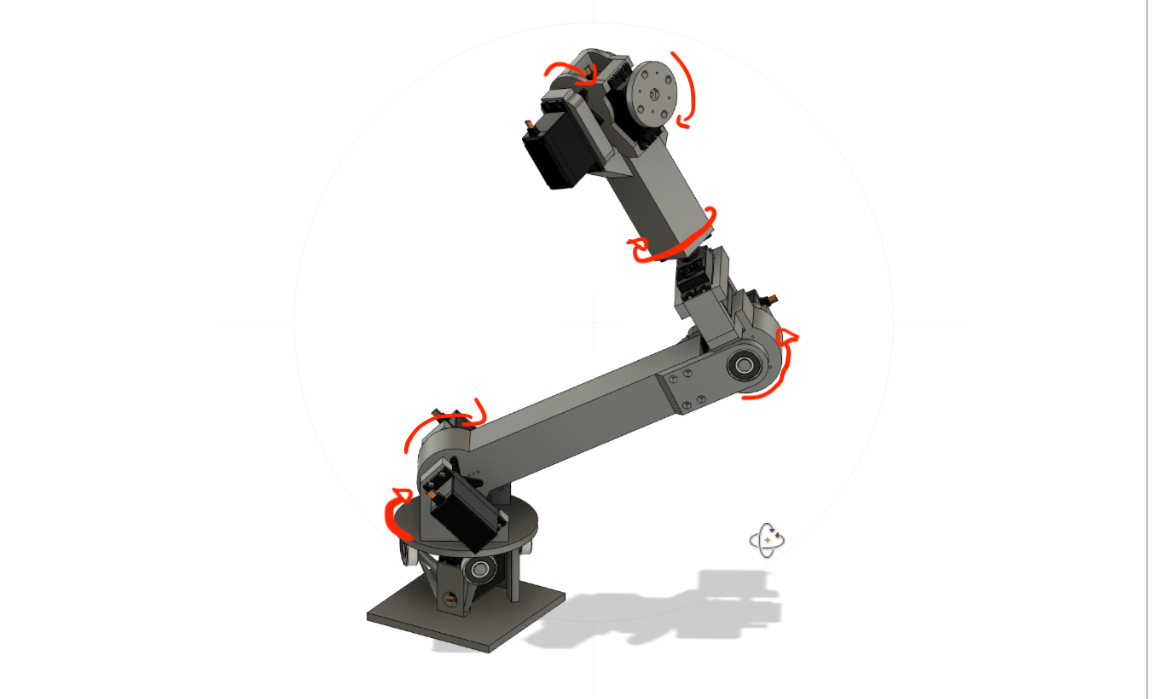
The Ping Pong Robot has a parallel kinematics chain: all actuators are stationary, and they all actuate the same thing (the paddle), here in exactly the same way. In these types of robots, its actually the inverse kinematics thats trivial, and the forward kinematics difficult. Luckily, the inverse kinematics is what we care about. What do we do to get the paddle where we want?
To position the paddle where we want, all the computer has to do is, in its computations, place that virtual paddle where it needs to be and, knowing exactly the positions of all the pulleys, just needs to figure out how far each pulley is from the corresponding connecting point on the paddle (I call these anchor points). This is because the cables are the only thing constraining motion, and controlling the lengths of these cables is just what the pulleys were designed for.
This gets tricky with the paddle moving, but with some simple calculus one can quickly stumble into linear algebra without knowing it! It was quite fun figuring all the math out behind this, as I came across the Jacobian matrix quite naturally.
The inverse kinematics was not much more complicated than this, and it was implemented very nicely in cpp with Eigen, a linear algebra library.